
Build and Govern AI Prompts
Create, test, and deploy AI prompts inside Salesforce with GPTfy's no-code Prompt Builder and Data Context Mapping
Your AI prompts are ungoverned
Teams write prompts in personal tools, copy them from shared docs, and deploy without testing. Nobody knows which version is current, who changed what, or whether outputs meet compliance standards.
Prompts buried in code or personal tools
AI prompts live in developer scripts, ChatGPT threads, and shared documents. No central inventory means no visibility into what prompts exist, who owns them, or how they perform.
“I was looking for a declarative way to integrate OpenAI with Salesforce. GPTfy is easy to configure, free and the support from Rahul and team is awesome. Prompt builder is super cool.”
- Sourav Halder, Salesforce Professional
Build prompts with Prompt BuilderNo validation before deployment
Prompts go live without being tested against real data. Teams discover output quality issues only after end users report inconsistent or incorrect AI responses in production.
“Really nice App. It does what it claims. Pre-packaged prompts make it easy to use.”
- Shailesh Varshney, Developer, Capgemini Australia
Connect your model via BYOM ArchitectureUngoverned prompt sprawl across teams
Anyone can create and share prompts without approval, naming standards, or access controls. Sensitive data fields get referenced in prompts with no PII protection or audit trail.
“Liked the easy and click/no-code way to configure GPT LLMs on any Salesforce object and go-live in days.”
- Gurditta Garg, Chief Salesforce Evangelist, Motorola
Secure this with Security LayerScattered Prompts Create Chaos
Ungoverned prompts create inconsistent AI outputs
When every team writes their own AI prompts in different tools, you get inconsistent outputs, no version history, and no way to enforce quality standards. Sales writes prompts in ChatGPT, marketing uses a different tool, and support copies prompts from a shared doc. Nobody knows which version is current, who changed what, or whether the outputs meet compliance requirements.
GPTfy centralizes prompt management inside Salesforce
GPTfy's Prompt Builder provides a single interface for creating, editing, and deploying AI prompts as Salesforce records. Each prompt has version history, owner assignment, approval workflows, and usage analytics. Admins control who can create prompts, which objects they can access, and which AI models they can use, all through standard Salesforce configuration.
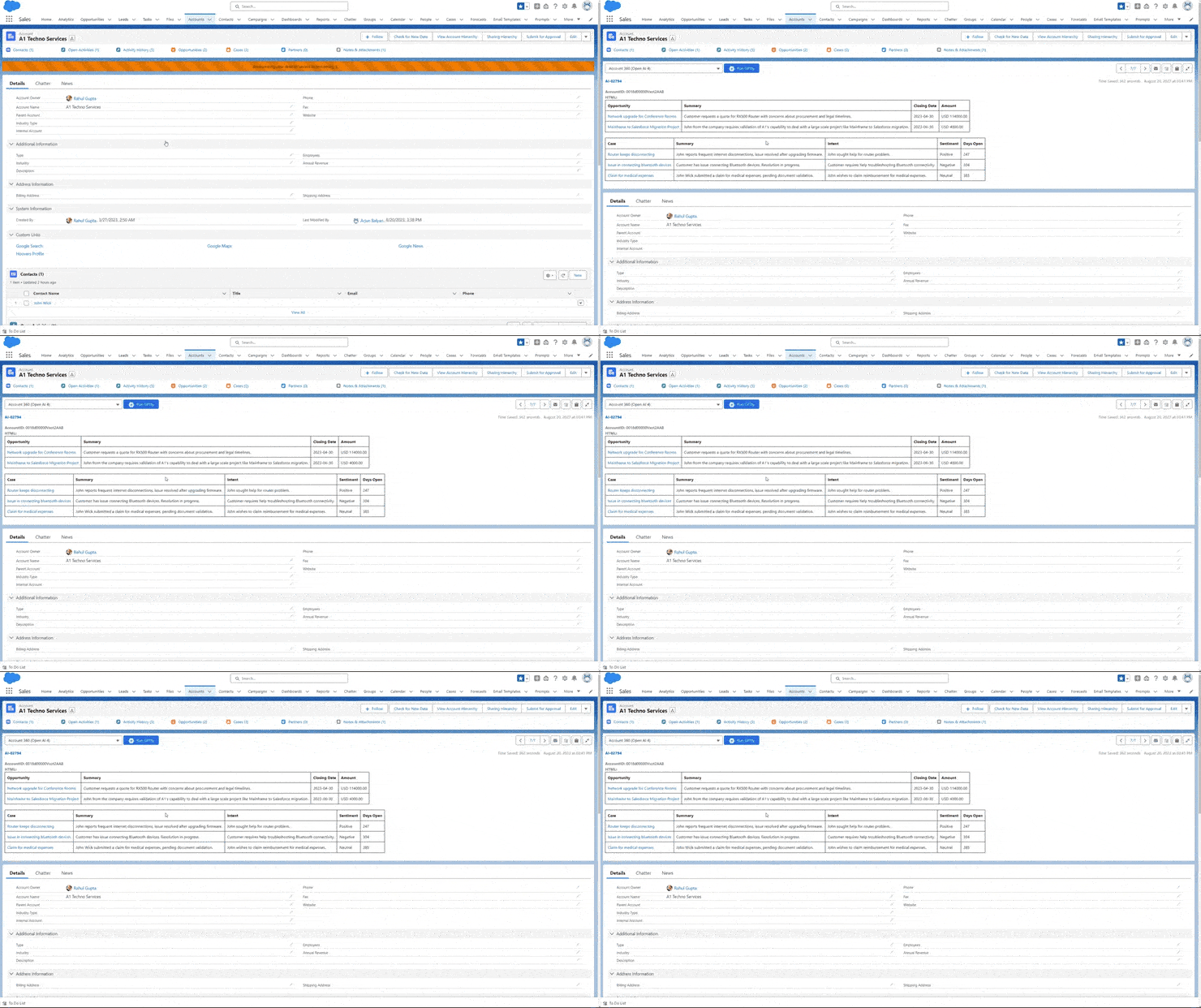
No-Code Prompt Creation
Build prompts that pull real Salesforce data through Data Context Mapping
GPTfy's Data Context Mapping lets you define which Salesforce objects, fields, and child records your prompt needs, all through point-and-click configuration. When a user runs the prompt on an Account record, GPTfy automatically assembles the Account fields, related Opportunities, Cases, Contacts, and Activities into structured context for the AI model.
Test prompts against real records via the Prompt Builder
The Prompt Builder includes a test execution mode that runs your prompt against actual Salesforce records and shows the AI output inline. Compare outputs across different records, different AI models, and different prompt versions to optimize quality before deploying to end users.
Security and Model Governance
PII masking applies to every prompt execution through the Security Layer
Every prompt execution through GPTfy passes through the security layer that masks personally identifiable information before data reaches any AI model. Prompt developers do not need to add PII handling logic; it is enforced at the platform level, regardless of which model the prompt uses.
Assign different models to different prompts via AI Connection
GPTfy's BYOM architecture lets admins assign specific AI models to specific prompts. Email generation might use GPT-4o for speed, while compliance-sensitive case summaries route to a private Azure deployment. Each model connection uses Salesforce Named Credentials, and model assignment is a prompt-level configuration.
Why Choose Prompt Development
No-Code Prompt Creation
Build and edit AI prompts through a visual interface inside Salesforce. No Apex, no JavaScript, no developer dependency. Admins configure prompts with point-and-click tools.
Version-Controlled Templates
Every prompt is a Salesforce record with full version history, timestamps, and owner attribution. Compare versions, roll back changes, and enforce approval workflows before deployment.
Team-Wide Prompt Governance
Control who can create, edit, and deploy prompts with role-based permissions. Enforce naming conventions, approval chains, and usage policies across every team from one admin console.
Powerful Capabilities
Visual Prompt Builder
Drag-and-drop interface for assembling prompts with Salesforce field references, output instructions, and contextual variables. No code required.
Test Before Deploy
Run prompts against real Salesforce records in a sandbox mode. Compare outputs across different models and prompt versions before rolling out to end users.
Output Formatting Rules
Define section structure, tone, length constraints, and formatting templates at the prompt level, ensuring consistent AI outputs across every execution.
Role-Based Access
Assign prompt creation, editing, and deployment permissions by Salesforce role. Restrict which objects and fields each prompt can access through Data Context Mapping.
Key Takeaways
- No-code Prompt Builder creates, edits, and deploys prompts as Salesforce records
- Data Context Mapping selects Salesforce objects and fields through point-and-click
- Test execution mode runs prompts against real records before deploying to users
- Every prompt has version history, owner attribution, and approval workflows
- PII masking enforced at platform level regardless of which model the prompt uses
- Role-based permissions control who can create, edit, and deploy prompts
Frequently Asked Questions
No. GPTfy's Prompt Builder is a no-code interface inside Salesforce. Admins configure prompts, select data fields through Data Context Mapping, and deploy prompts using point-and-click tools without writing Apex or JavaScript.
Every prompt is stored as a Salesforce record with full version history. Changes are tracked with timestamps and owner attribution. You can compare versions, roll back to previous iterations, and enforce approval workflows before deployment.
Yes. GPTfy's AI Connection framework lets admins assign specific models to specific prompts through Named Credentials. Sales prompts can use GPT-4o while compliance prompts route to a private Azure deployment, all configured at the prompt level.
GPTfy's Security Layer automatically masks personally identifiable information before any Salesforce data reaches the AI model. This includes contact names, emails, and phone numbers. Masking is enforced at the platform level so individual prompt builders do not need to handle it.
The Prompt Builder includes a test execution mode that runs prompts against real Salesforce records and shows the AI output inline. Admins can compare outputs across different records, AI models, and prompt versions to optimize quality. Approval workflows can also be enforced so prompts require sign-off before becoming available to end users.
Yes. GPTfy's Prompt Builder provides a visual interface with pre-built templates, Salesforce field references, and output formatting options. Admins select which objects and fields to include through point-and-click Data Context Mapping. The Prompt Catalog includes ready-made templates for common use cases that admins can customize without starting from scratch.
See the Prompt Builder in Action
Book a demo to see how GPTfy's Prompt Builder lets admins create, test, and deploy governed AI prompts inside Salesforce.
Related Use Cases
RAG
Retrieval-augmented generation for answers grounded in your documents.
File Analysis
Extract insights from PDFs, spreadsheets, and documents with AI.
AI Ethics & Compliance
Guardrails and governance for responsible AI use in Salesforce.
Account 360
Comprehensive AI-powered customer insights across all touchpoints.
BYOM
Connect any AI model to Salesforce through Named Credentials.